For supervisors
You are asked to confirm months of somebody's work. You should be able to see exactly what you are confirming, and it should stay that way afterwards. That is the whole point of HourSign.
What you can count on
HourSign is free for you
Nothing hidden behind a summary
Never forced to sign
How you get access.
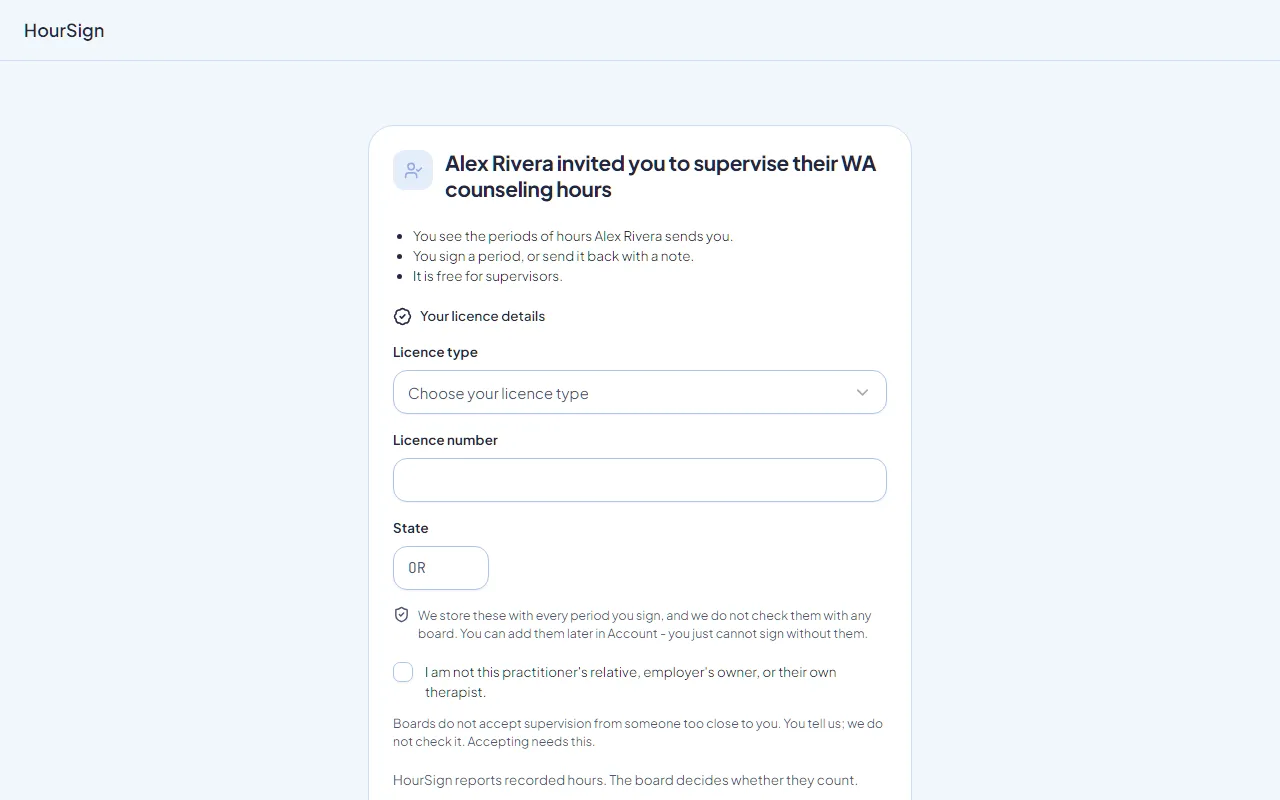
The person you supervise invites you by email. You make your own free account.
- Sent by
- The person you supervise, to your email address.
- Works
- Once. It expires in 14 days.
- Opens for
- A signed-in account whose verified email matches. Nobody shares a login.
What you see before you sign.
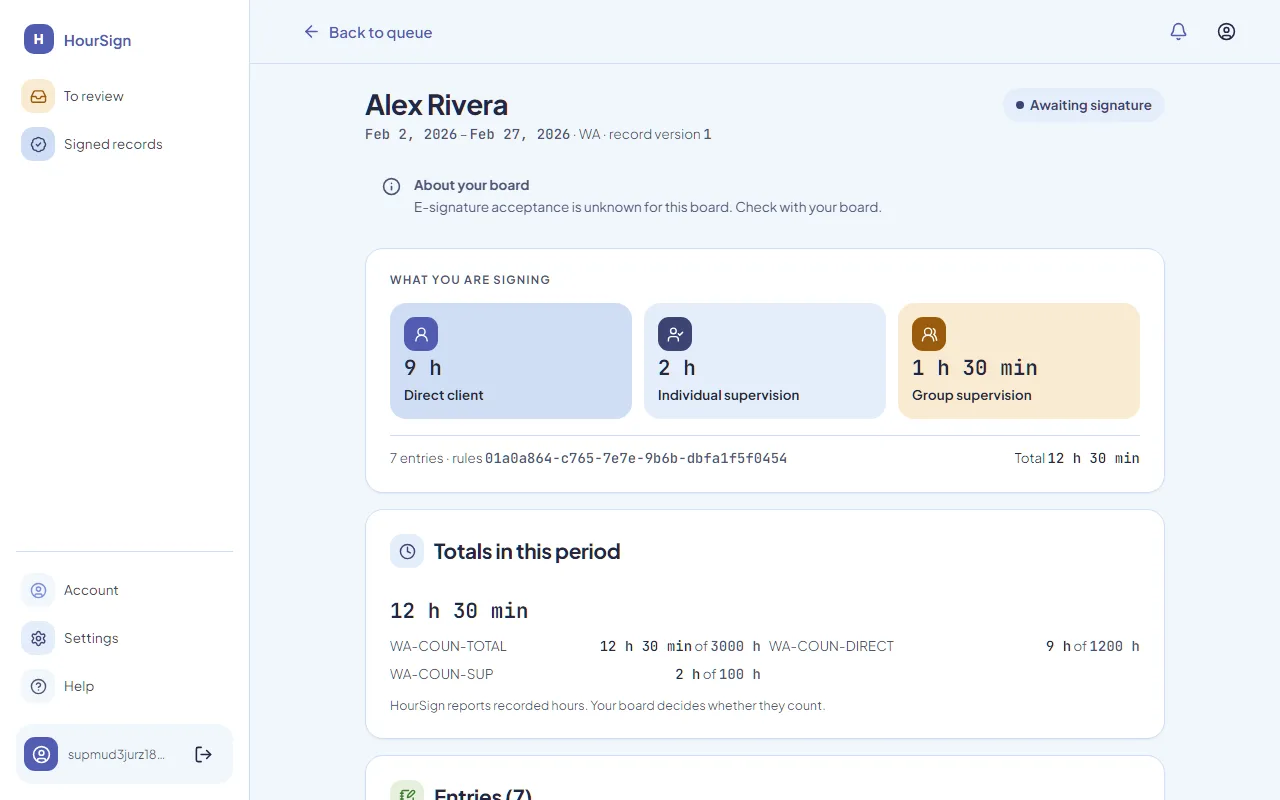
A reporting period is a date range of entries. Before you sign you see the full content that will be frozen.
- Every entry
- The totals per category
- The rule set used
- Any warnings
Nothing is hidden behind a summary.
Signing takes four deliberate steps.
To sign a period, four things happen.
Agree to electronic records
You agree to use electronic records for this signature.
Read the attestation
You read the attestation text, and it stays on screen.
Type your legal name
You type your full legal name.
Confirm it is you
You confirm who you are with a recent sign-in.
HourSign then freezes the content and stores a SHA-256 fingerprint of it, the rule set version, your identity and license details, and the date and time in UTC.
Sending a period back
After you sign
On screen or on paper, by state.
Whether a board accepts an electronic signature depends on the state. HourSign says plainly what it found, and prints a record for a handwritten signature where that is what the board asks for.
- OROregon
The Oregon export is print-and-sign. The board's hours report says it must carry original signatures, so HourSign prints a clean record for your supervisor to sign by hand. HourSign makes no claim that an electronic signature is accepted in Oregon.
The Oregon page - WAWashington
The Washington export is print-and-sign. DOH forms have a handwritten signature line and we found no official statement that an electronic signature is accepted, so HourSign does not claim one.
The Washington page - FLFlorida
Florida allows electronic signatures. The board's own supervision log form says so, under chapter 668, part I of the Florida Statutes. Your supervisor can sign a reporting period inside HourSign, and you can still print it if you prefer.
The Florida page
What HourSign does not ask of you.
To judge eligibility
To handle client names
To read hours in your inbox
See exactly what you confirm.
Free for supervisors, always. The person you supervise sends the invitation, and you make your own account.